

 See My Latest Article on HelloNation
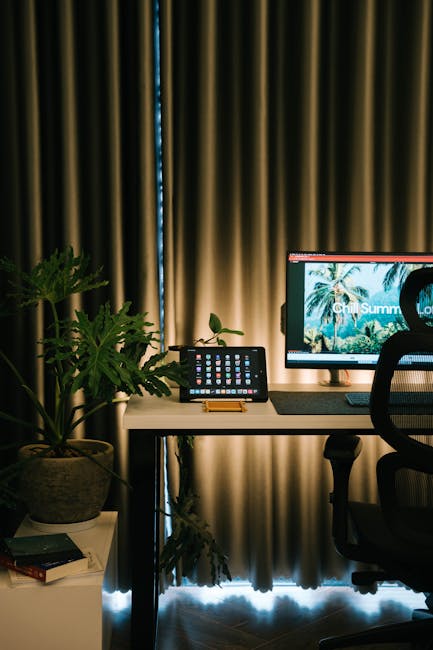
If you’re like many Mesa, AZ residents, working from home has become a regular part of your routine. While the flexibility is a major perk, it also comes with new challenges—especially when it comes to posture. At-home work setups are rarely as ergonomic as those in traditional offices. Without proper attention to posture, remote work can lead to discomfort, back pain, neck strain, and more serious issues over time. Fortunately, there are practical steps you can take to improve your posture and keep your body healthy—even from your home office in the heart of the Valley.
Why is Posture Important for Mesa’s Work-From-Home Professionals?
Good posture isn’t just about looking confident—it’s vital for maintaining spinal health, reducing muscle fatigue, and boosting productivity. In sunny Mesa, where outdoor activities like hiking Usery Mountain or cycling along the Salt River are popular, poor posture from work can undermine your ability to enjoy these activities fully. Back pain or tension headaches from slouching can follow you into your weekend adventures.
Recognize the Signs of Poor Posture
Do you often feel soreness in your neck or shoulders after a day at your computer? Are your wrists or lower back aching? Maybe you notice yourself slumping or leaning forward. If these scenarios sound familiar, your posture may be suffering. Common symptoms of poor posture include:
- Rounded shoulders or upper back
- Head jutting forward
- Back pain, especially in the lower back
- Neck stiffness or headaches
- Worsening fatigue by mid-afternoon
Recognizing these signs early allows you to make changes before pain becomes a bigger problem.
Set Up Your Home Workspace for Success
Mesa homes come in many styles—from cozy apartments in Downtown Mesa to sprawling ranch houses in Eastmark—but most were not built with home offices in mind. Whether you’re working from a kitchen counter or a converted guest room, these tips can help:
- Chair Support: Choose a chair that supports your lower back, or add a small cushion. Your feet should rest flat on the floor, with knees at a 90-degree angle.
- Desk Height: Position your desk so your elbows bend at roughly 90 degrees when typing. Avoid sitting at low coffee tables that encourage hunching.
- Monitor Placement: Keep your computer monitor at eye level to avoid tilting your head down. Use stacked books or a monitor riser if needed.
- Lighting: Take advantage of Mesa’s natural sunlight! Good lighting reduces eye strain and encourages you to look up from your screen periodically.
Practice Posture-Boosting Habits
Ergonomics don’t stop at furniture. The way you routinely use your body matters just as much.
- Sit Upright: Align your ears, shoulders, and hips in a straight line as you sit.
- Check-In Reminders: Set an alarm every hour to assess your posture and make quick adjustments.
- Foot Position: Keep your feet flat on the floor, not dangling or tucked under you.
- Screen Breaks: Every 30–60 minutes, stand up, stretch, or walk around. Step outside and enjoy Mesa’s sunshine, even if it’s just for a minute.
- Alternate Workstations: Consider switching between sitting and standing with a makeshift standing desk or countertop.
Exercises to Improve Posture From Home
Mesa’s active lifestyle complements simple exercises that offset the effects of desk work. Try adding these to your daily or weekly routine:
- Chin Tucks: Slowly pull your head back so your ears line up over your shoulders. Hold for 5 seconds; repeat 10 times.
- Shoulder Squeezes: Gently squeeze shoulder blades together and hold for 5–10 seconds. Repeat several times.
- Wall Angels: Stand with your back against a wall, arms in a goalpost position, and move your arms up and down, keeping contact with the wall.
- Hip Flexor Stretch: With so much sitting, hips get tight. Kneel on one knee and gently push hips forward, holding the stretch for 15–30 seconds on each side.
- Brisk Walks: Mesa’s canals, parks, and shaded neighborhoods make great spots for lunchtime walks. Moving regularly supports good posture and overall well-being.
Technology Tips for Better Posture
Digital tools can actually help you stay posture-aware:
- Phone Placement: Hold your phone at eye level to avoid “tech neck.”
- Laptop Stands: Use a laptop stand and separate keyboard/mouse for better alignment.
- Posture Apps: Download an app that vibrates or notifies you to check your posture throughout the day.
Local Lifestyle: Thriving With Better Posture in Mesa
Mesa’s year-round sunshine and commitment to healthy living provide ample motivation for keeping good posture a priority. Many local residents enjoy hiking, golfing, walking in Riverview Park, or cycling. Proper posture ensures that your work-from-home setup doesn't hold you back from enjoying these activities pain-free. Plus, integrating regular outdoor movement into your workday helps you maintain motivation and energy.
When to Seek Professional Help
Sometimes, despite your best efforts, pain persists. Chronic discomfort, numbness, or tingling are signs you should consult with a qualified professional, such as a chiropractor. Mesa offers a variety of clinics and wellness centers specializing in posture correction, musculoskeletal care, and ergonomic advice. Personalized assessment can get you back on track and help you build long-term healthy habits.
Final Thoughts
Adapting to remote work doesn’t mean sacrificing your health or comfort. With mindful adjustments and a focus on posture, you can work productively from your Mesa home and enjoy everything this vibrant city offers. Invest in your wellbeing now, and you’ll reap the rewards—both at your desk and outdoors. Start making these small changes today, and notice the difference in how you feel and move every day.